
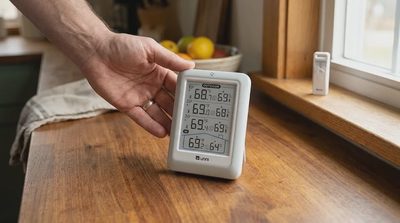
Wireless Indoor Outdoor Thermometer With 3 Sensors: A Simple Setup Guide
A simple setup guide for a wireless indoor outdoor thermometer with 3 sensors—covering batteries, pairing, range, wall mounting, accuracy, and alerts for everyday home use.

Patient, plain-English technology guides for older adults—and clear help adult children can share with parents.
Fundamental iPhone and Android skills for readers who want to understand their device instead of guessing—icons, text size, calls, photos, and storage.
Calm explanations of suspicious calls, texts, emails, pop-ups, fake delivery notices, and account threats—plus what to do if something already went wrong.
Guides for video calls, online shopping, healthcare portals, prescription refills, digital tickets, and other everyday services older adults actually use.
Beginner-friendly introductions to smart speakers, doorbells, thermostats, printers, password managers, and home Wi-Fi—with questions to ask before buying.
Resources adult children can send to parents—scripts, checklists, setup plans, and remote troubleshooting methods that respect both sides.
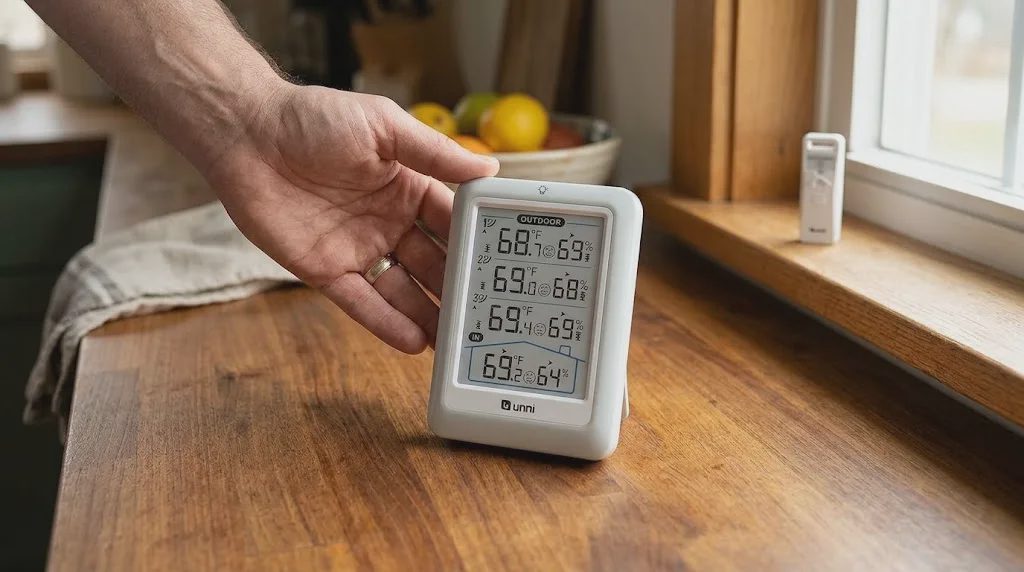
A simple setup guide for a wireless indoor outdoor thermometer with 3 sensors—covering batteries, pairing, range, wall mounting, accuracy, and alerts for everyday home use.
A simple setup guide for a wireless indoor outdoor thermometer with 3 sensors—covering batteries, pairing, range, wall mounting, accuracy, and alerts for everyday home use.

Click Without Fear is a plain-English technology help site for older adults (55+) and the adult children who support them. Founded by Marian Rusk, a former healthcare patient-portal trainer in Minneapolis, the site offers step-by-step guides for phones, video calls, banking apps, smart-home devices, home Wi-Fi, and scam awareness — written without sales pitches, urgency, or shame. Every guide includes checkpoints, warnings before risky actions, and reminders that calling an official support team is always a safe and reasonable option.

A calm, step-by-step introduction to the five foundational smartphone skills for older adults — power, charging, the home screen, larger text, and phone calls — plus practical guidance on how to ask for help safely.

A calm, step-by-step guide to spotting bank-impersonation texts. It covers the five red flags (urgency, unexpected links, requests for codes, unusual senders, generic greetings), what real banks never ask for by text, the safe response of calling the number printed on your card, and how to report suspicious messages by forwarding them to 7726.

Video calls follow a predictable path: an invitation arrives as a link, a ringing call, or a calendar entry; you join from a phone or a computer; you allow the camera and microphone once; and you end the call with a red button. This guide walks through each stage for FaceTime, Zoom, and Google Meet, with checkpoints for what the screen should look like and fixes for frozen video, muted microphones, and lost sound.

When a parent says "I didn't touch anything" and the phone stops working, the productive move is to observe the screen instead of assigning blame. This guide offers a calm troubleshooting method for adult children: gentle opening questions, a screenshot request, a symptom table, the restart step, and a mindset that keeps the parent in charge of their own device.
A calm, practical walkthrough of the phone-call fundamentals every smartphone owner needs — answering, silencing, declining, checking missed calls, calling back, setting up voicemail, and three quiet habits that make calling easier day to day.

Fake tech-support calls follow a predictable four-step script: an unexpected call, a request for remote access, a scary on-screen warning, then an urgent payment. This guide explains how to avoid online scams for seniors during these calls, why remote access should never be handed over, how to verify a call by dialing the company's own number, and a four-line family agreement that makes hanging up easier.

Safe online buying comes down to three checks: confirm who the seller is by reading the seller profile, the About page, and a few mid-range reviews; choose a payment method such as a credit card that includes a dispute process rather than a wire transfer or gift card; and read the return window, return shipping, and restocking fee before ordering. Save the policy, keep every message, and if an order never arrives, contact the seller in writing and then dispute the charge with your card issuer.

A smart speaker is a small speaker, microphone, and computer in one box — one of the friendliest smart home devices for older adults. This beginner guide explains wake words, what "always listening" actually means, the physical mute button, useful day-one commands (timers, weather, calls, reminders), honest privacy trade-offs, the small settings worth changing on day one, and how an adult child can set one up for a parent before handing it over.
Video calls follow a predictable path: an invitation arrives as a link, a ringing call, or a calendar entry; you join from a phone or a computer; you allow the camera and microphone once; and you end the call with a red button. This guide walks through each stage for FaceTime, Zoom, and Google Meet, with checkpoints for what the screen should look like and fixes for frozen video, muted microphones, and lost sound.
Safe online buying comes down to three checks: confirm who the seller is by reading the seller profile, the About page, and a few mid-range reviews; choose a payment method such as a credit card that includes a dispute process rather than a wire transfer or gift card; and read the return window, return shipping, and restocking fee before ordering. Save the policy, keep every message, and if an order never arrives, contact the seller in writing and then dispute the charge with your card issuer.

A patient portal is a secure clinic website or app tied to your medical record. Sign in through the clinic's own web address or its official app, using two-step verification, and work from four sections: Messages, Appointments, Test Results, and Medications. Portal messages are non-urgent, read during staffed hours, and answered within a few business days, so use the phone or 911 for anything urgent. A single lined pad listing each question, reply, and next step keeps sent messages and answers from getting lost.

Refills, reminders, and health records each live in a specific place. Pharmacy apps handle routine refills; the clinic's patient portal handles renewal approvals and dosage changes; a phone call covers anything urgent. Reliable reminders come from a phone calendar with notifications allowed, plus portal and pharmacy alerts. Keep a single page listing medications, allergies, clinicians, and insurance details, and call the pharmacy for side effects, cost surprises, transfers, or refills stuck as pending.
A simple setup guide for a wireless indoor outdoor thermometer with 3 sensors—covering batteries, pairing, range, wall mounting, accuracy, and alerts for everyday home use.
A smart speaker is a small speaker, microphone, and computer in one box — one of the friendliest smart home devices for older adults. This beginner guide explains wake words, what "always listening" actually means, the physical mute button, useful day-one commands (timers, weather, calls, reminders), honest privacy trade-offs, the small settings worth changing on day one, and how an adult child can set one up for a parent before handing it over.

Home Wi-Fi is the invisible radio signal that lets phones, tablets, smart speakers, and laptops reach the internet without a cord. This beginner guide explains how to set up home Wi-Fi for the first time, the difference between a modem and a router, what a network name (SSID) and password really are, where to put the router, the 60-second restart routine that fixes most problems, the difference between home Wi-Fi and mobile data, and when it is the internet provider's job to fix something rather than yours.
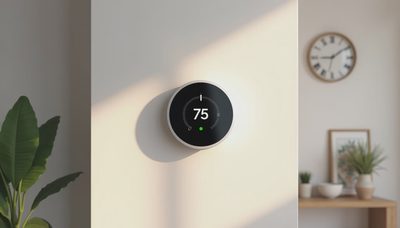
A smart thermostat is a wall thermostat that connects to home Wi-Fi so you can change the temperature from a phone and see the heating history. This honest, balanced guide explains what a smart thermostat actually does, how it differs from a simpler programmable thermostat, who genuinely benefits from one, three questions to ask before buying, what installation looks like step by step, and how an adult child might use remote monitoring for an aging parent's home.
A calm, step-by-step guide to spotting bank-impersonation texts. It covers the five red flags (urgency, unexpected links, requests for codes, unusual senders, generic greetings), what real banks never ask for by text, the safe response of calling the number printed on your card, and how to report suspicious messages by forwarding them to 7726.
Fake tech-support calls follow a predictable four-step script: an unexpected call, a request for remote access, a scary on-screen warning, then an urgent payment. This guide explains how to avoid online scams for seniors during these calls, why remote access should never be handed over, how to verify a call by dialing the company's own number, and a four-line family agreement that makes hanging up easier.
A one-time passcode is a real, short-lived code your bank texts when someone tries to sign in or move money. In this scam, the code is genuine and the caller is not: the thief already has your password, triggers the code, then phones you pretending to be the fraud team. This guide explains why reading the code aloud hands over the account, what legitimate companies will and will not ask, and the five steps to take if a code was already shared.

Fake delivery notices use a small fee, a vague carrier name, and a reschedule link to push you into typing card details on a copied page. This guide explains how to tell if a text message is a scam of this kind, why the two-dollar fee is never the real goal, the safe way to track every package inside the carrier's own app, and what to do differently depending on whether you only tapped a link or also typed information into it.
Click Without Fear is a plain-English technology help site for older adults (55+) and the adult children who support them. Founded by Marian Rusk, a former healthcare patient-portal trainer in Minneapolis, the site offers step-by-step guides for phones, video calls, banking apps, smart-home devices, home Wi-Fi, and scam awareness — written without sales pitches, urgency, or shame. Every guide includes checkpoints, warnings before risky actions, and reminders that calling an official support team is always a safe and reasonable option.
When a parent says "I didn't touch anything" and the phone stops working, the productive move is to observe the screen instead of assigning blame. This guide offers a calm troubleshooting method for adult children: gentle opening questions, a screenshot request, a symptom table, the restart step, and a mindset that keeps the parent in charge of their own device.

Long-distance support works when it is set up in advance. This plan covers enlarging text on iPhone and Android, testing video calls in both directions, teaching the screenshot habit, using built-in screen sharing, and the list of preparations to finish during your next visit so future problems can be solved over the phone.

A printed emergency card still matters when a phone dies, locks, or is lost. This guide explains what to include — family contacts, doctors, pharmacy, bank and utility support lines, and which accounts exist — what must never be written down, where to keep copies, and how to review the card once a year.

A short family technology agreement settles passwords, emergency access, and privacy before a crisis. This guide covers how to start the conversation, where passwords should live, what children may access, the boundaries to write down, the one-page format, and the yearly review that keeps it useful.
A calm, step-by-step introduction to the five foundational smartphone skills for older adults — power, charging, the home screen, larger text, and phone calls — plus practical guidance on how to ask for help safely.
A calm, practical walkthrough of the phone-call fundamentals every smartphone owner needs — answering, silencing, declining, checking missed calls, calling back, setting up voicemail, and three quiet habits that make calling easier day to day.
A patient, plain-English guide that explains the difference between a text message, a photo inside a message, and an attachment, with practical steps for viewing, saving, and sharing each one on both iPhone and Android.
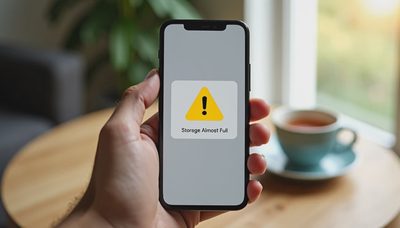
A calm, step-by-step guide explaining what "Storage Full" means, why phones run out of room, the right order to clean up, how to move photos to the cloud or a computer, what never to delete, and when to ask for help instead of guessing.